The Sensei Pro offers a great sensor, swappable batteries, and fast wireless connectivity. However, for the price, the design and ergonomics could be better.
Price at time of review
This value will display the geolocated pricing text for product undefined
Best Price Today
$179.99
For more than a decade, wireless computer mice have (mostly) looked and functioned the same. An optical sensor on the underside, a rechargeable battery with a USB port for charging or a compartment for replacing standard AA or AAA batteries, and either Bluetooth or RF communication via an adapter with the computer, both operating on narrow 2.4 GHz channels.
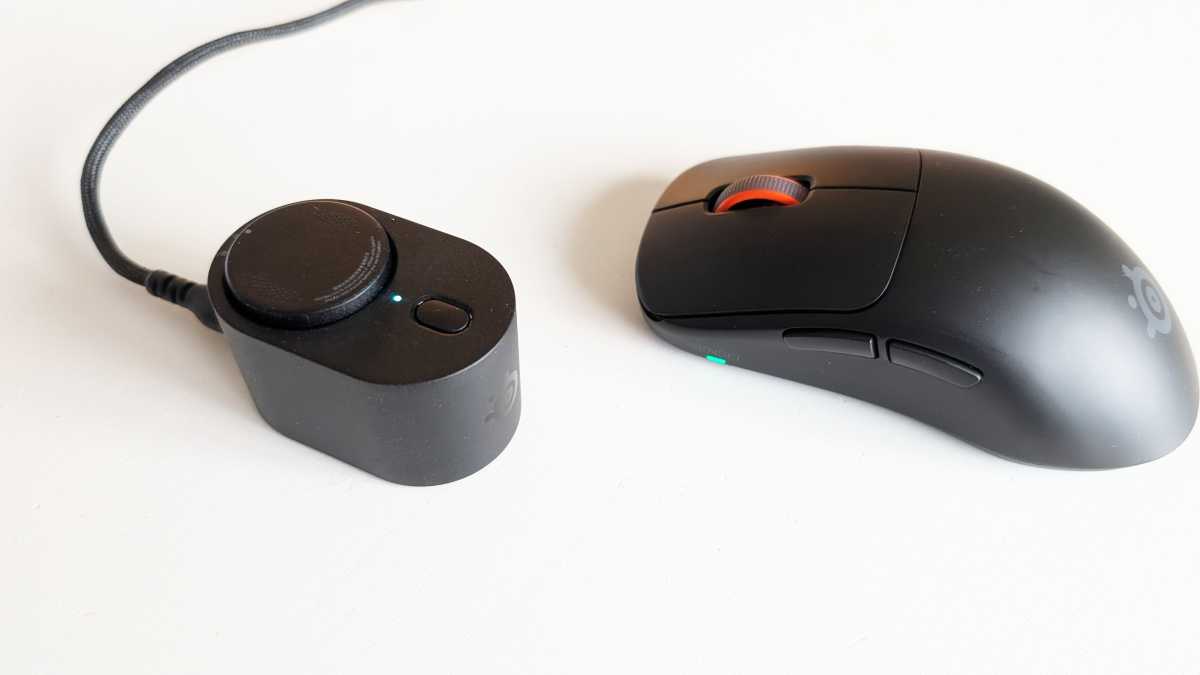
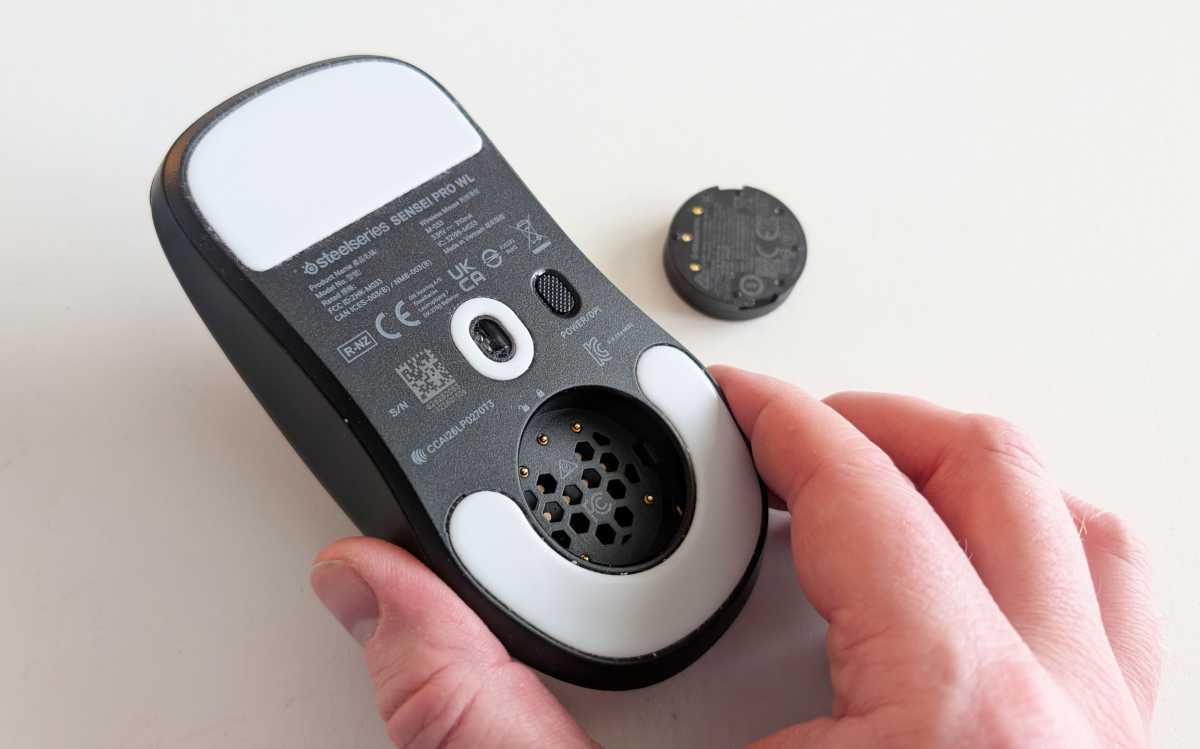
The Sensei Pro from SteelSeries does away with two of those features and takes the third to the next level. First, it has no internal battery. Instead, you get two separate round batteries, each about the size of a small stack of coins (but much lighter), and a round well in the base of the mouse which a battery can be pressed and twisted into place.
You place the second battery in a USB-powered docking station, where it can be charged whilst you’re using the first one. When the battery starts to run low, the mouse alerts you with a flashing LED, allowing you to quickly swap it for a fully charged one. This means you can essentially enjoy endless battery life with the mouse, minus the half-minute it might take to change the battery. The process is very easy and very quick.
Is it more convenient than having a built-in battery and plugging in a USB-C cable every now and then to charge while it’s in use? Maybe. Maybe not. But you don’t have to worry about the mouse having a tail that restricts your freedom of movement and affects precision.
Mattias Inghe
A single charge is said to last for 16 hours in performance mode, which means a high polling rate of 8 kHz (the mouse can handle up to 9 kHz with so-called over-polling). That seems about right. It’s perhaps best suited to e-sports players who need extreme precision or professional graphic designers who want a level of accuracy beyond the ordinary. If I switch to a more modest 1 kHz polling rate, the battery life increases to around 60 hours, according to the specifications.
The other new feature is that it doesn’t communicate via a 2.4 GHz RF signal or Bluetooth at 2.4 GHz, like almost all other wireless mice. Instead, it uses the new Ultra Wideband (UWB) technology, and the charging station also acts as its receiver. Plug it into a computer to power the charger, and the mouse will automatically connect.
UWB is a wireless standard primarily designed for short-range positioning, and it is also used in some other devices, such as electronic car keys. Here, it utilizes a high frequency of around 6 GHz and, as the name suggests, greater bandwidth per channel to transmit data more quickly.
This gives you the benefit of a very high polling rate and even shorter response times than is possible at 2.4 GHz. It’s also much less susceptible to interference. At 2.4 GHz, you have to contend with other Bluetooth devices and even Wi-Fi for the same radio spectrum. You’re largely spared that here. Not that I’ve ever found it a problem, but who knows – there might be situations where it makes a noticeable difference.
Mattias Inghe
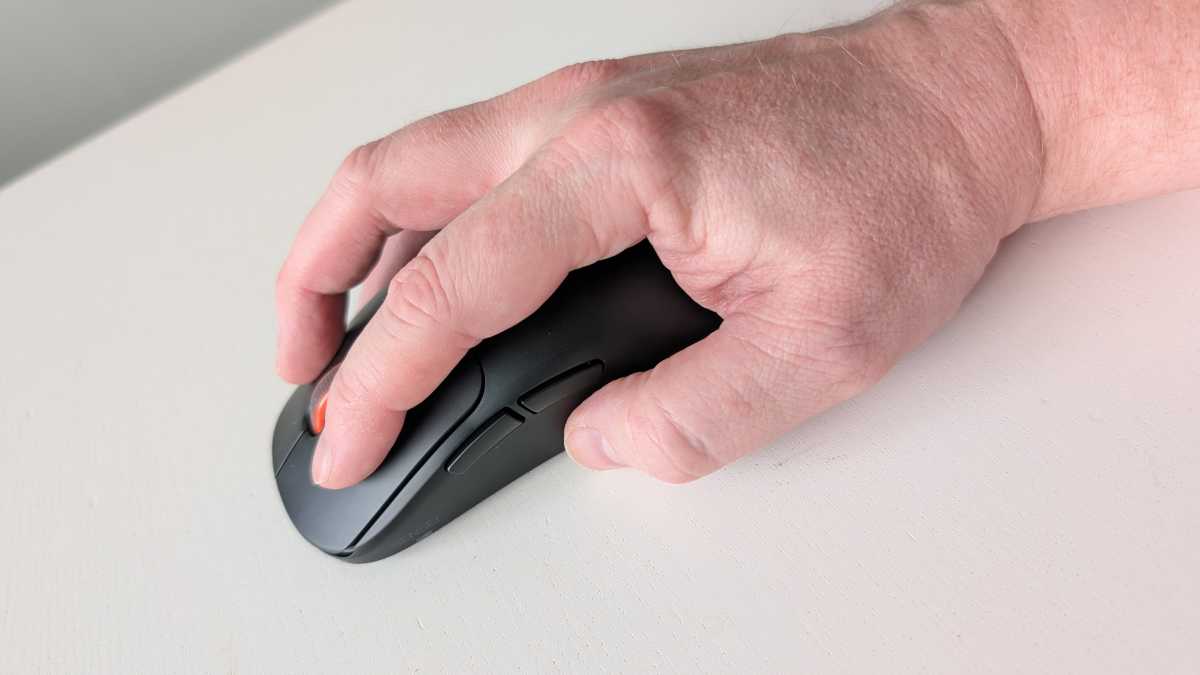
Externally, however, the Sensei Pro looks traditional and unassuming. It’s a simple yet elegantly designed mouse with a symmetrical shape. The shape is slightly too low for my hand, but that’s a matter of taste. It’s available in black or white plastic with a lovely smooth texture. It’s pleasantly light and, with the right mouse mat, glides almost friction-free across the glossy surfaces on its underside.
It has a traditional set of buttons: left- and right-click buttons at the front, a scroll wheel with a middle-click button, and two extra buttons on the left-hand side for forward and backward navigation in Windows and web browsers. The mouse buttons produce a distinct click that can become tiresome, and the scroll wheel has fixed steps with no option for free scroll.
The optical sensor in the Sensei Pro is one of the best I’ve experienced in a mouse – the PAW3955 from PixArt, which is found in many high-performance gaming mice. It offers very high resolution. You get a maximum of 42,000 DPI, with support for up to 800 IPS (inches per second) of hand movement and 70 G of acceleration. That’s a superhuman amount, and more than you’ll ever need.
Mattias Inghe
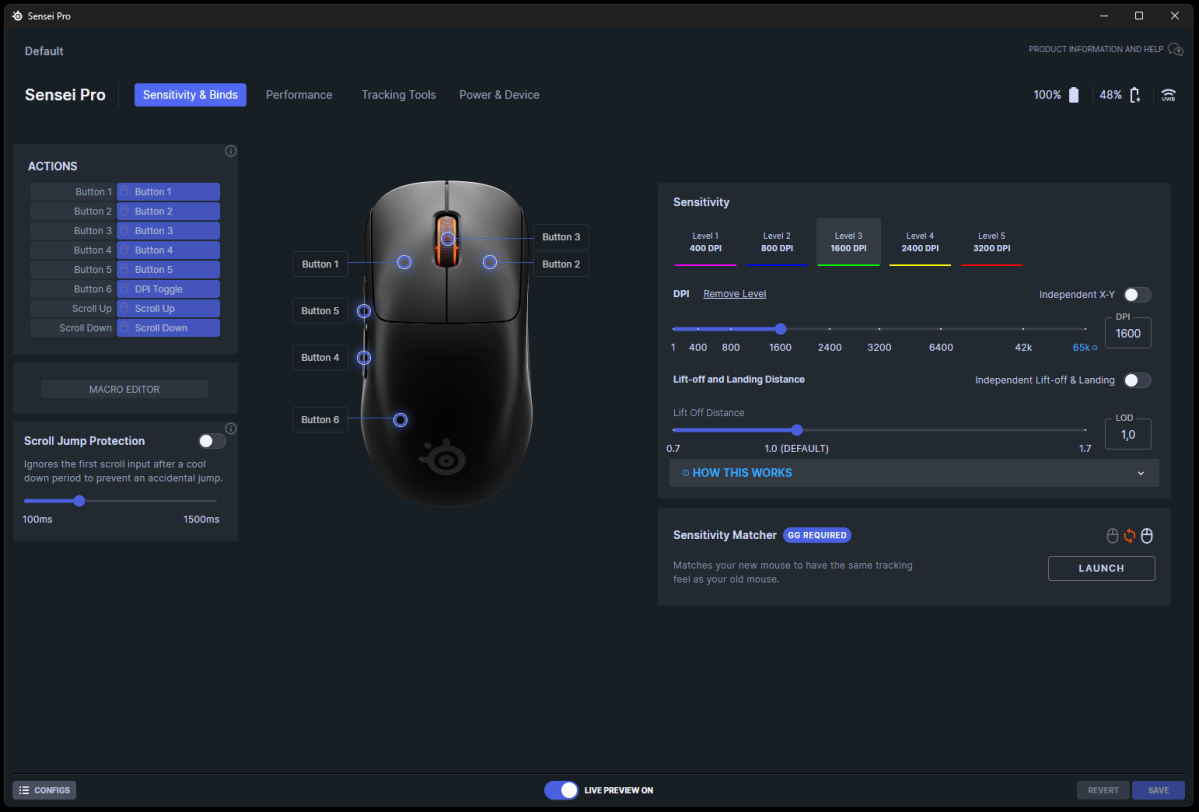
Above all, the high resolution is something you really notice. You wouldn’t normally use such a high sensitivity; instead, you can cycle through a few more standard sensitivity modes using a button on the underside. But if you open the SteelSeries GG software, you’ll see an interface where you can assign any DPI value you like to these settings. If you max it out, it’ll respond to even the slightest micromovement.
And it does so without losing any precision. It’s so sensitive that I notice a bit of jerkiness in small mouse movements and realize that the problem is my mouse mat’s rough surface. When I switch to one with a smoother surface, the mouse glides much more smoothly.
In the GG app, you can reassign all the buttons, but I’d recommend leaving the left-click button as it is. The mouse has internal memory, so these settings carry over if you plug it into another computer. You can also create keyboard macros, adjust the hand orientation and angle, and fine-tune the mouse’s acceleration and lift-off distance.
Mattias Inghe
The Sensei Pro is an expensive mouse. It costs a whopping $179.99, while most of us are used to paying a three-figure sum for a perfectly decent wireless mouse. But it really is a top-of-the-range product: lightweight, comfortable, well-built, and stylish. And it offers new solutions to real problems for those of you who use a mouse for long sessions and need both speed and precision.
The sense of control is palpable even for a casual gamer or office worker who isn’t particularly discerning, like me. I’d have hoped for a few more buttons, better noise dampening in the switches, and perhaps a more ergonomic design. It’s only semi-ambidextrous, with its two extra buttons for right-handed use, so a slightly angled design wouldn’t have gone amiss.
There’s an alternative model called the Rival Pro with the same technology and a more ergonomic design, but I haven’t managed to get my hands on one to test.
If it’s just as good technically – which I assume it is – then it might be worth considering. It costs exactly the same. The choice is yours.

Product name: SteelSeries Sensei Pro
Tested: October 2026
Manufacturer: SteelSeries
Number of buttons: Five for mouse control, one DPI switch
Scroll wheel: Central scroll wheel
Wireless technology: UWB with USB dongle
Battery life: Two replaceable batteries, 16–60 hours per battery
Resolution: Up to 42,000 DPI, up to 9,000 Hz polling rate
Other: Programmable buttons and scroll wheel, adjustable click height
System requirements: Windows 10 or later (for SteelSeries GG) and USB
Dimensions: 12.36 x 6.65 x 3.86 cm
Weight: 53 grams, including one battery
Price: $179.99
Rating: 4 out of 5